Opening the app at the start of the night.
The night screen appears: the temperature, whether it is raining, and a word to Simcha about what to wear. There is also a button to listen to the rain.
The smart delivery system
An app for every carrier in the field, and a live manager dashboard in the cloud. Every mark reaches you within seconds.
No one goes live, and no one places an order, until the system is tailored to you.
Every night. Hundreds of addresses. Thousands of newspapers. And one route that has to work.
Until now

Before"I didn't get it", no proof
Photo and delivery time, in the report.
BeforePaper and WhatsApp groups
The route on the phone, in order.
BeforeCarrier sick, route stuck
Notes and codes live in the route.
BeforeHours spent on reports
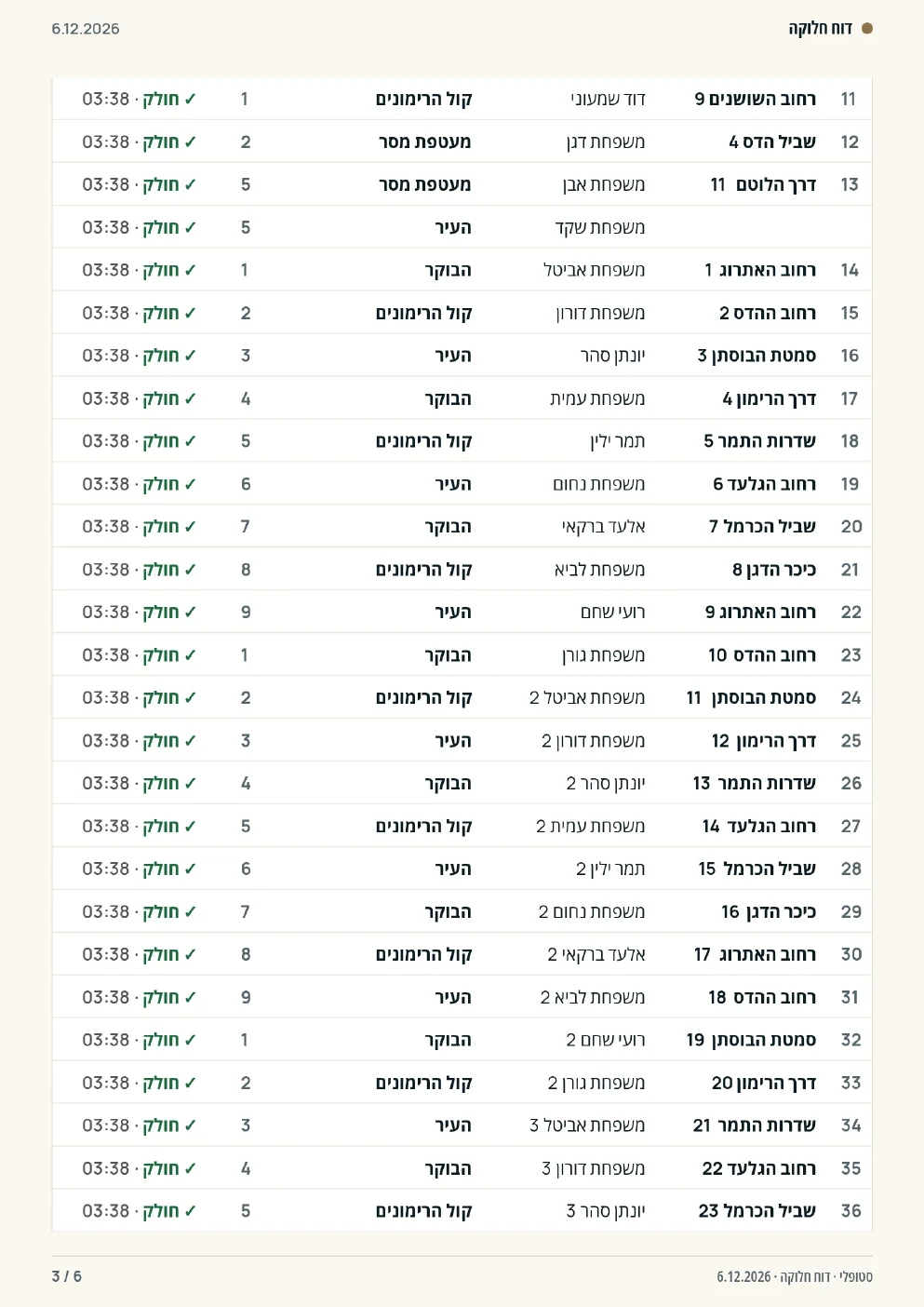
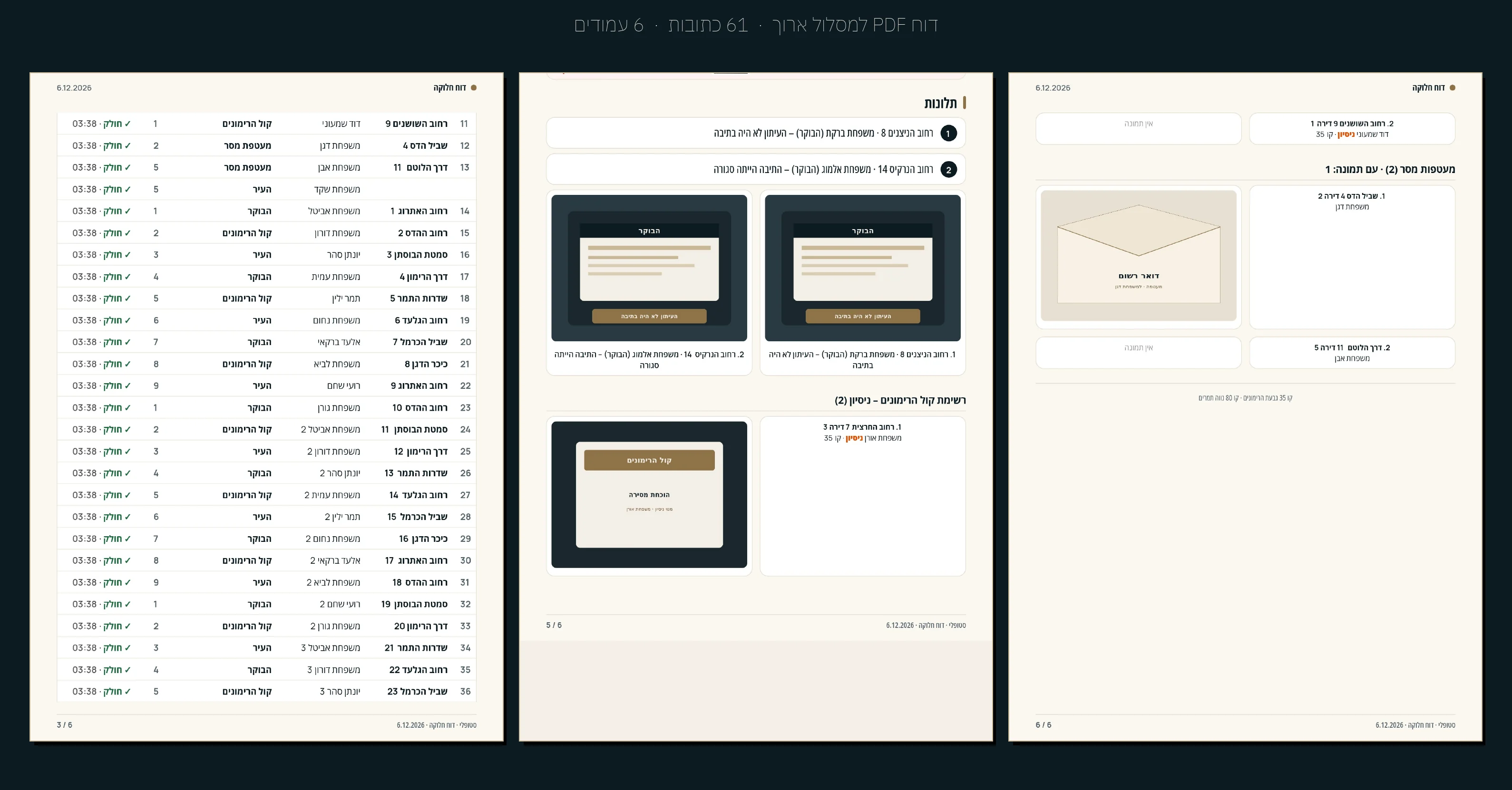
One PDF every night.
Carrier app
A personal app with only their route. They deliver, mark, take photos – no managing anything.
The night screen appears: the temperature, whether it is raining, and a word to Simcha about what to wear. There is also a button to listen to the rain.
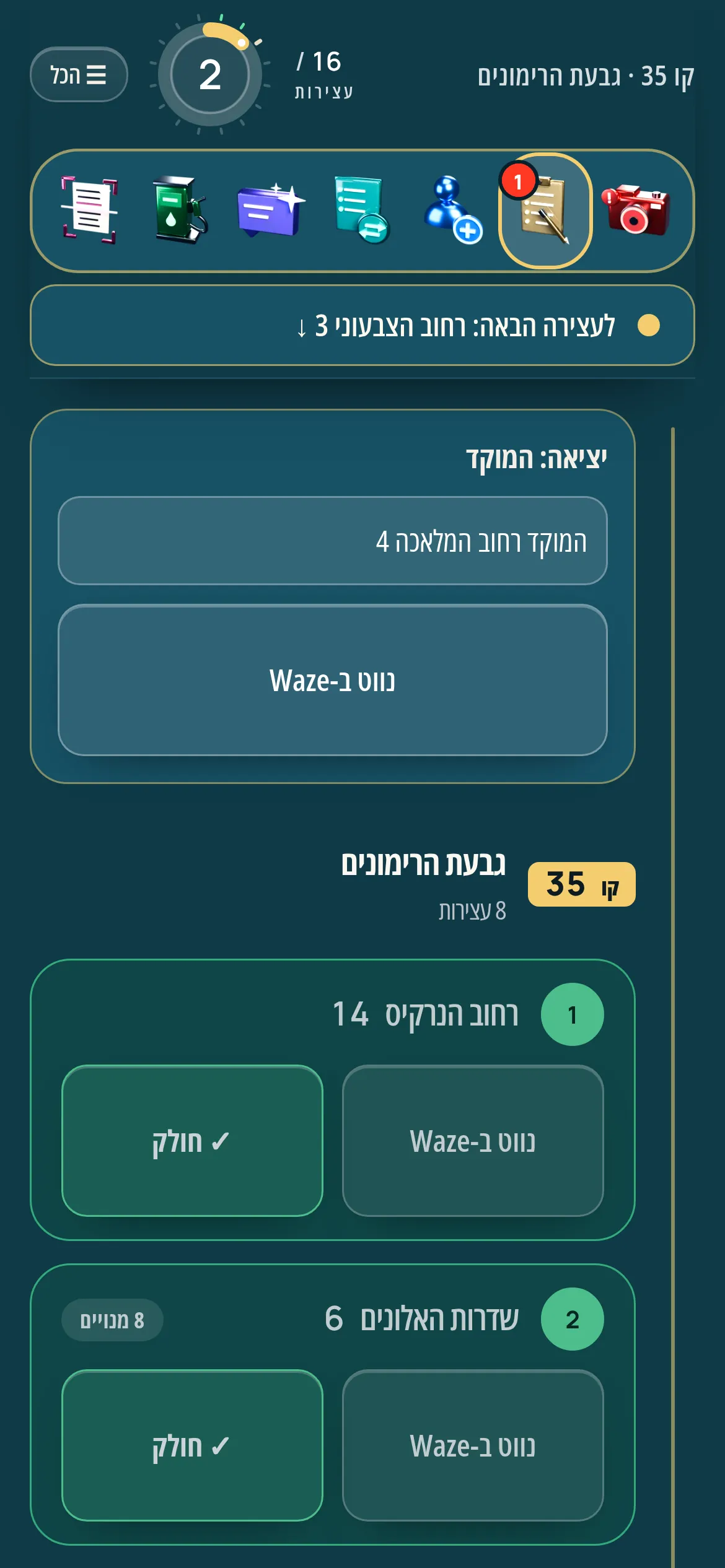
Every address with its subscribers, newspaper, mailbox, apartment and notes. The next address is shown large, like a road sign.
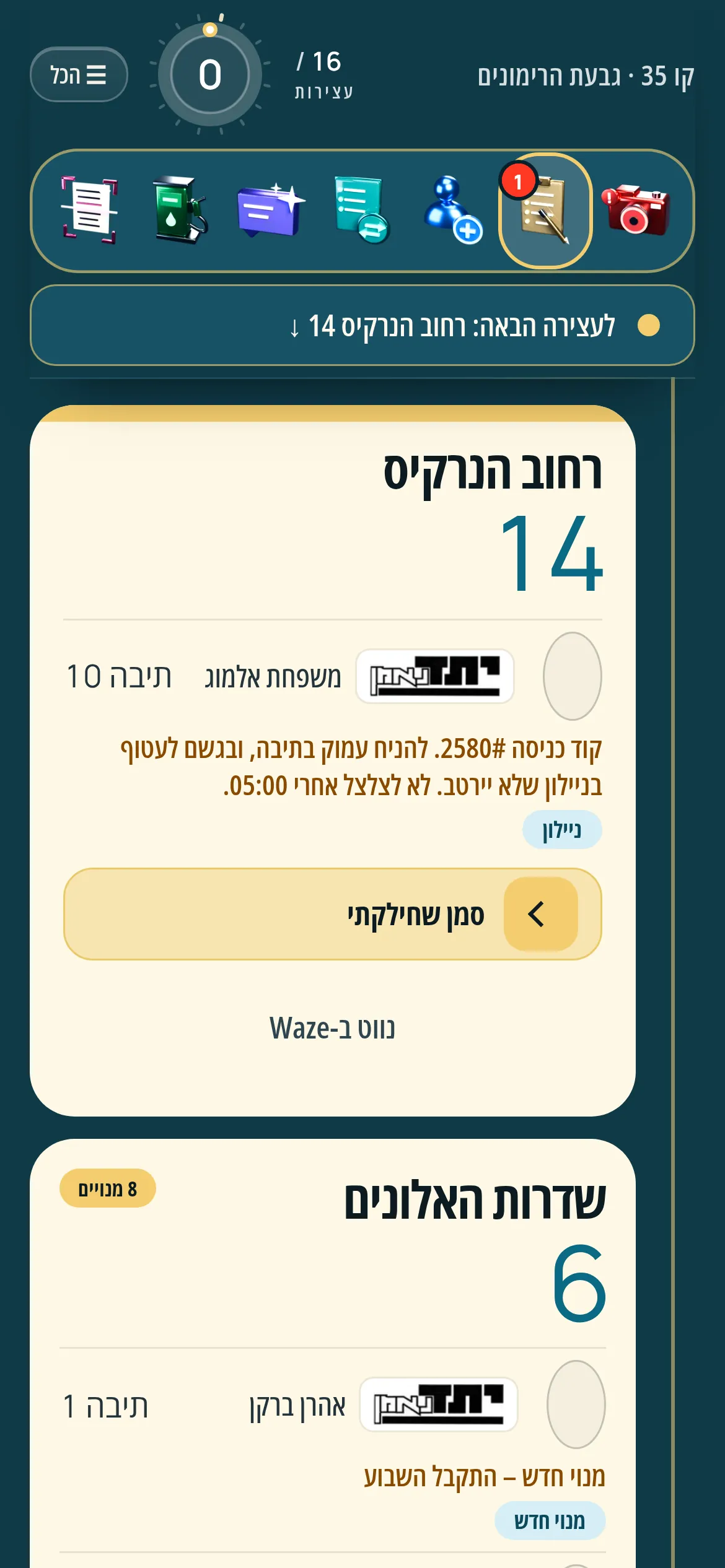
One subscriber or the whole building in one tap. Every mark is time-stamped and reaches the cloud within seconds, and the ring fills up.
Recognized at a glance, no mistakes. The app knows what day it is, adds weeklies and magazines by day of the week, and tells you how many papers of each kind to load.
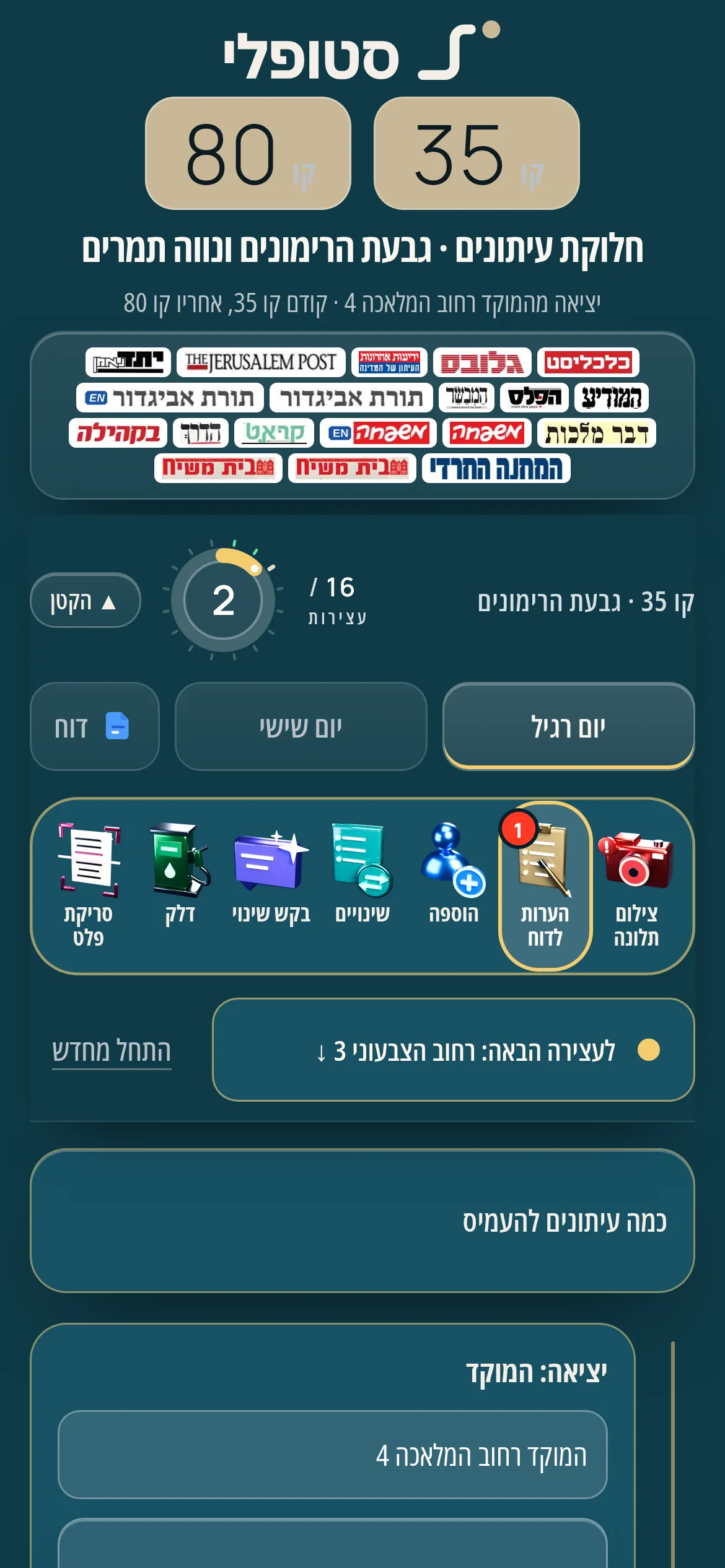
Delivery mode shows the next stop. Tap "All" to see the whole route, with what's delivered and what's left.
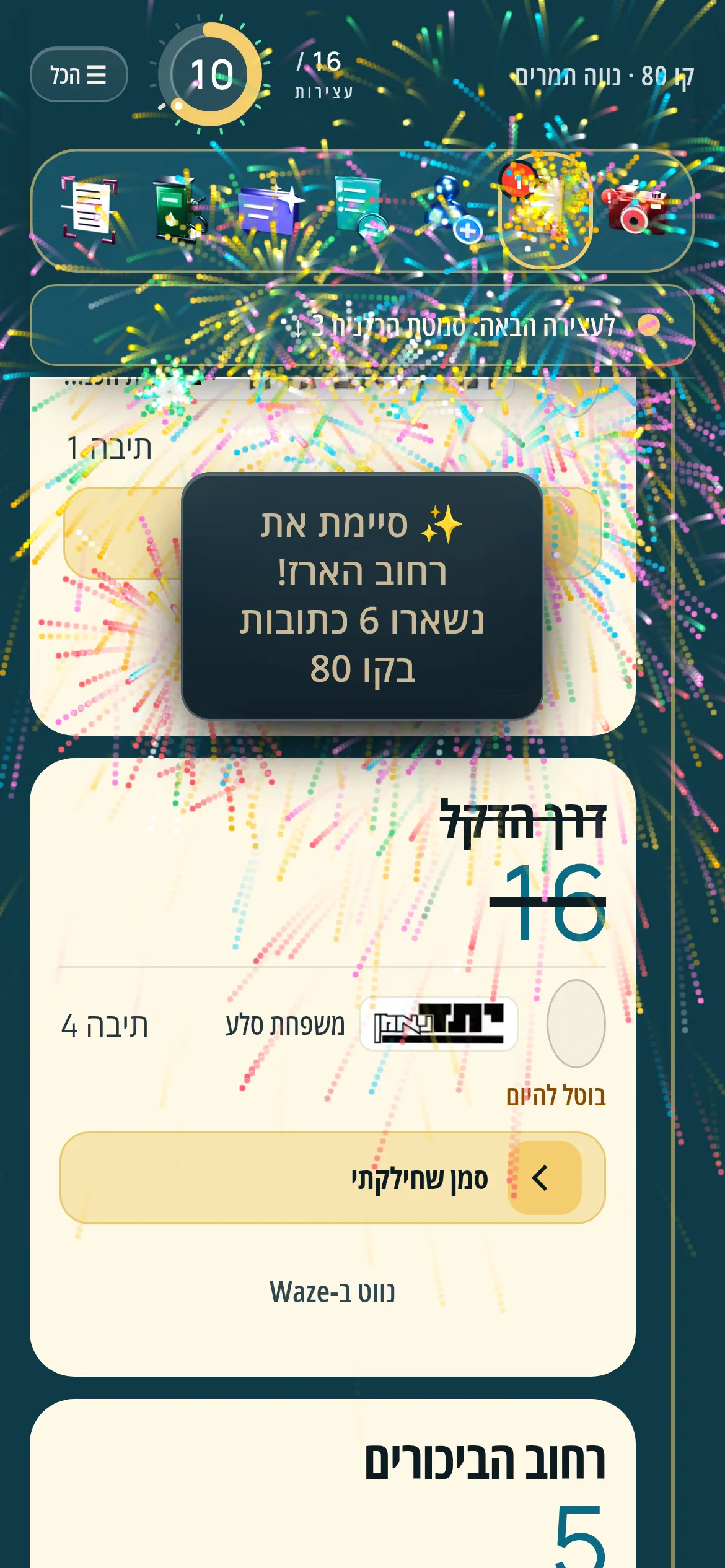
Voice encouragement at the end of every street, personal bests and a kind word at the end of the night.
Mid-route: after a street is finished, an encouragement message appears with fireworks, then the next stop.
Monthly magazines and route order changes? We update these for you.









כלכליסט, גלובס, ידיעות, Jerusalem Post, יתד, המודיע, הפלס, המבשר, תורת אביגדור, דבר מלכות, משפחה, משפחה באנגלית, קראט, הדרך, בקהילה, המחנה החרדי, בית משיח
Logos and trademarks belong to their owners. They appear only to show which newspapers the system supports, and do not imply any cooperation or endorsement.
All names, addresses and numbers on the screens are made up. The app itself is in Hebrew.
Seven buttons
Big glass buttons, easy to tap even in the dark. Tap a button to see what it opens.
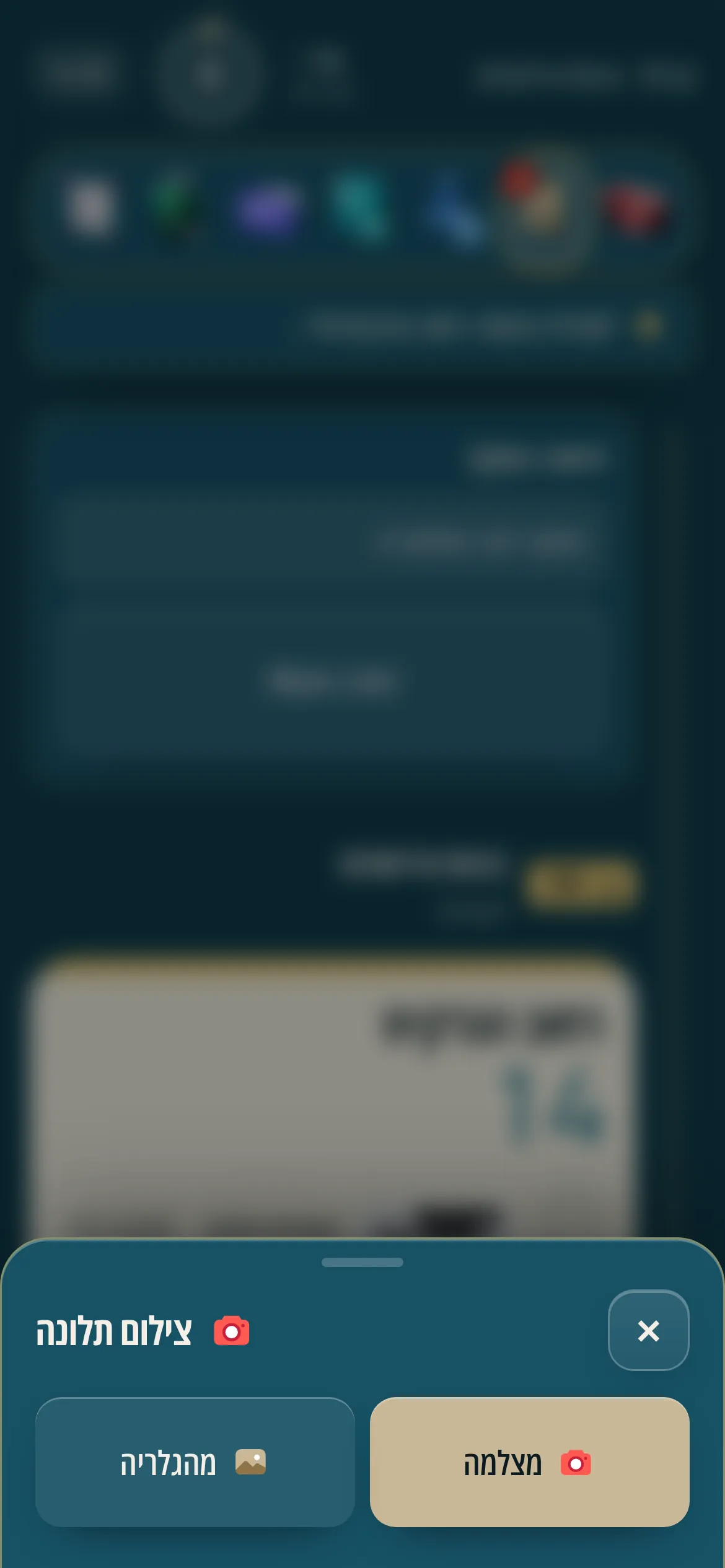
Take it with the camera or pick it from the gallery. The photo goes into the report next to the address and reaches the manager dashboard.
Finish time and notes at the top of the report. Notes, finish time and photos go into the report automatically.

Address, name, newspaper, mailbox and for how long: today only, every week, or every time the paper comes out. A label photo fills in the details (with the smart assistant add-on).
Cancel, "deliver tomorrow" or move an address, and everything that changed is gathered in one list.
Write or record what to change, and the assistant prepares it. Nothing changes without your approval.
Add-on: smart assistant
Kilometers at the start and the end, fuel cost per night and a monthly summary. You can photograph the dashboard and the receipt (with the smart assistant add-on).
Photograph the route sheets or pick a PDF file, and the app shows what's new and what's missing.
Add-on: smart assistantButtons marked "add-on" are activated for you as part of tailoring the system to your needs.
All names, addresses and numbers on the screens are made up. The app itself is in Hebrew.
Morning report
The whole night, on one page.
Packages to hand over and the comparison with the previous report: we update these for you.
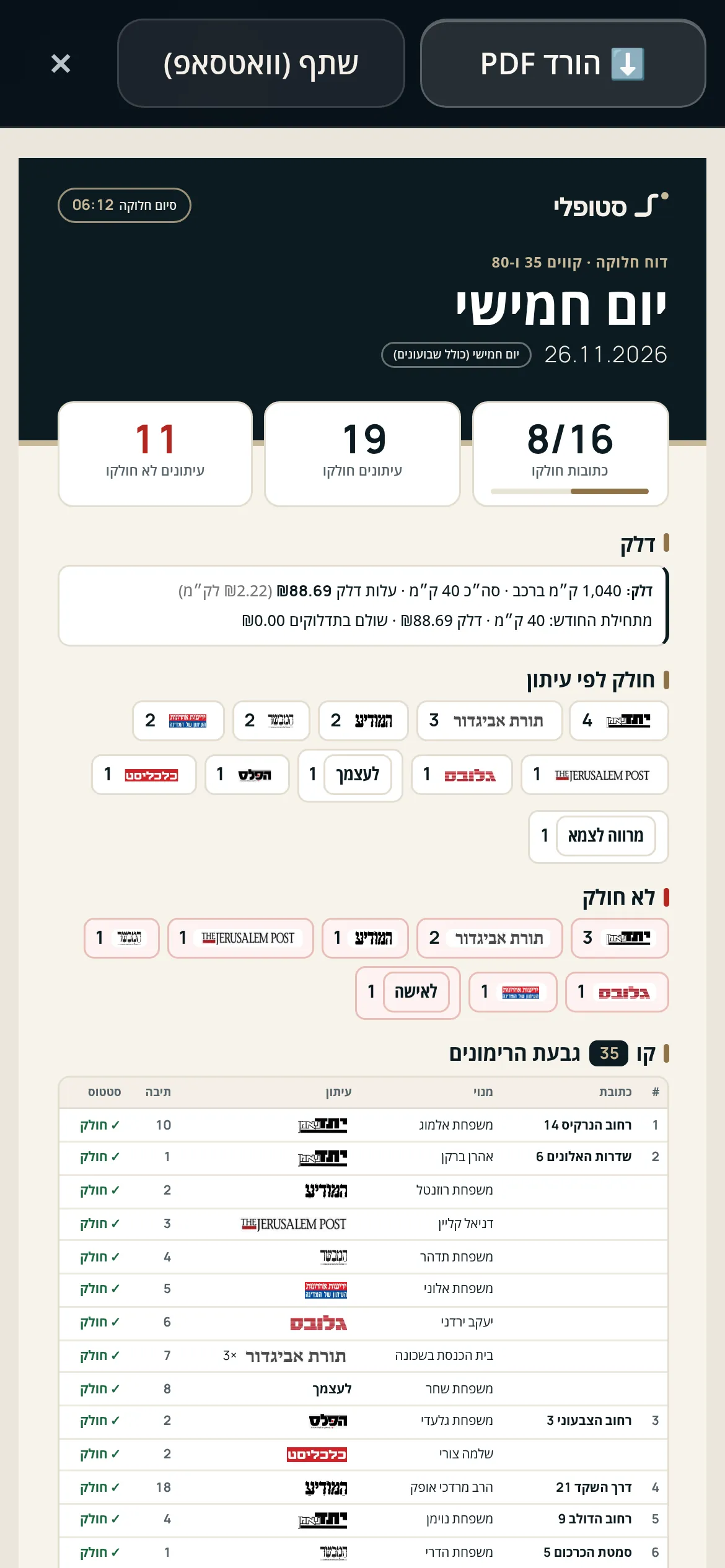
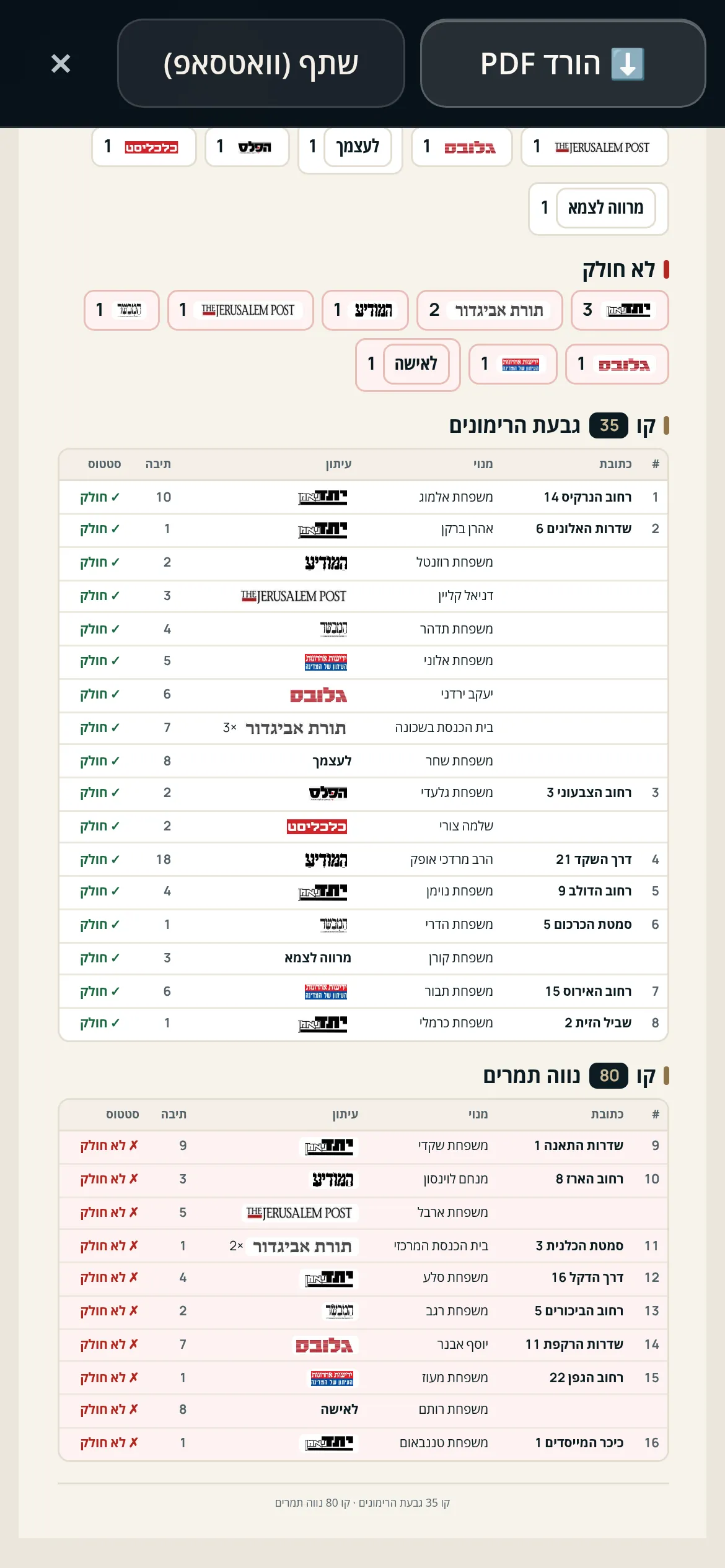
Every screen
Camera, notes, add, changes, agent, fuel and scan. Every screen, nothing to hunt for.
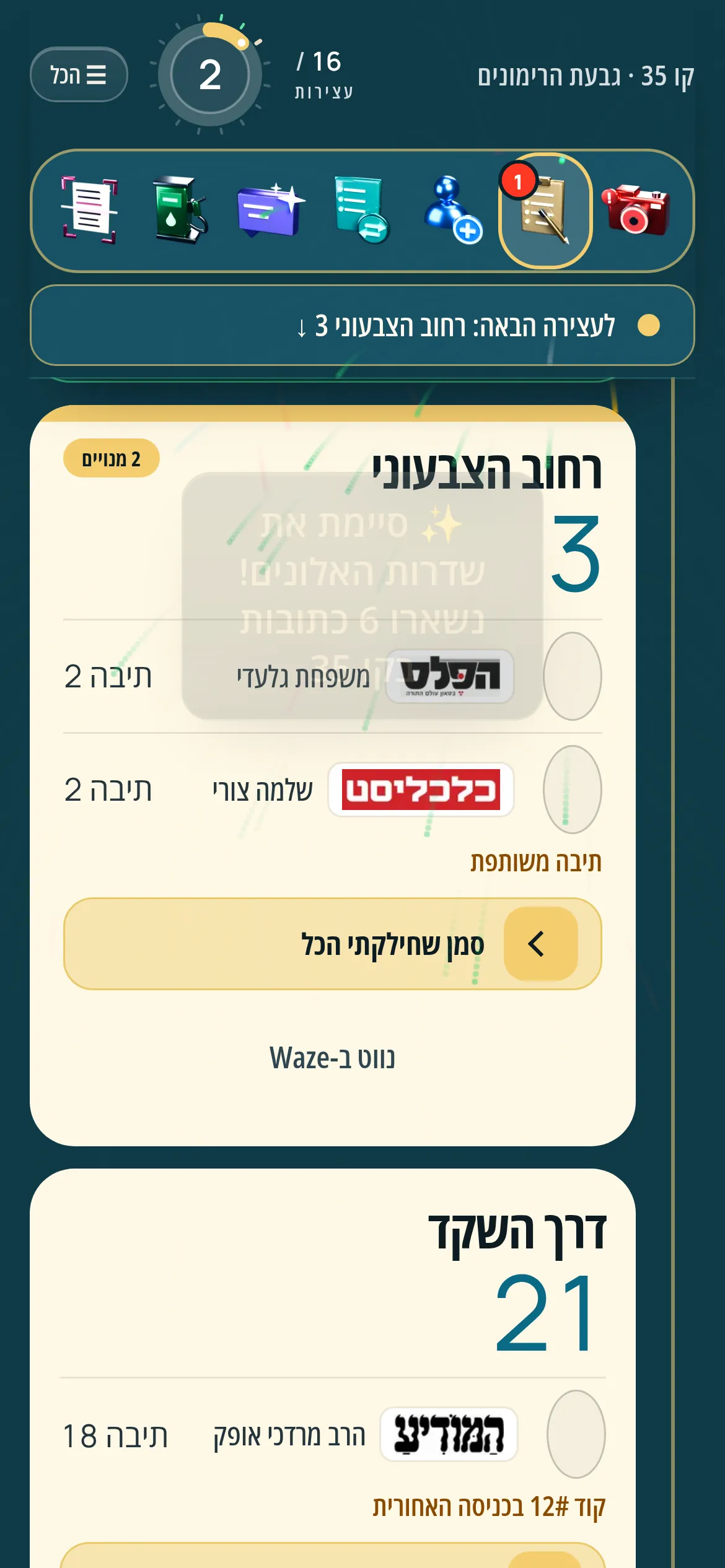
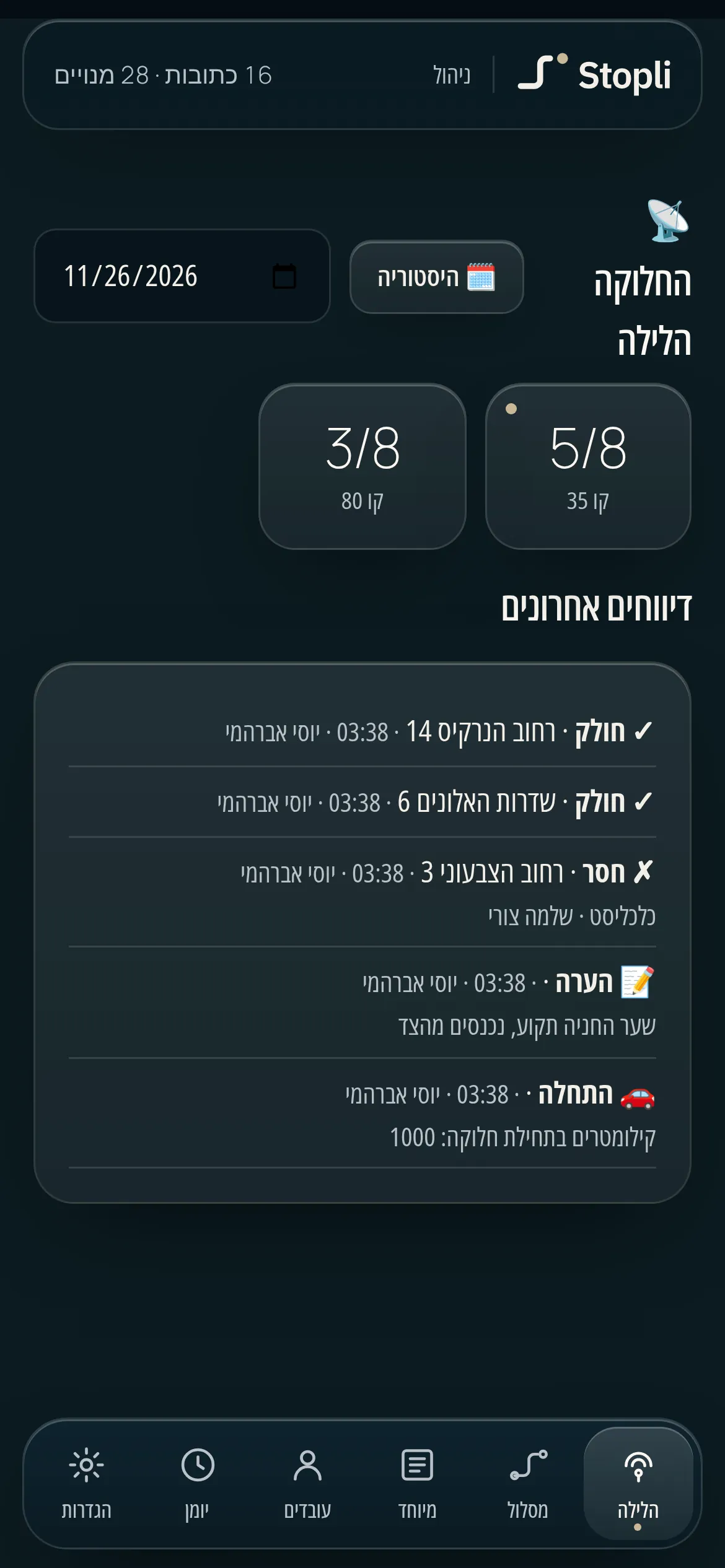
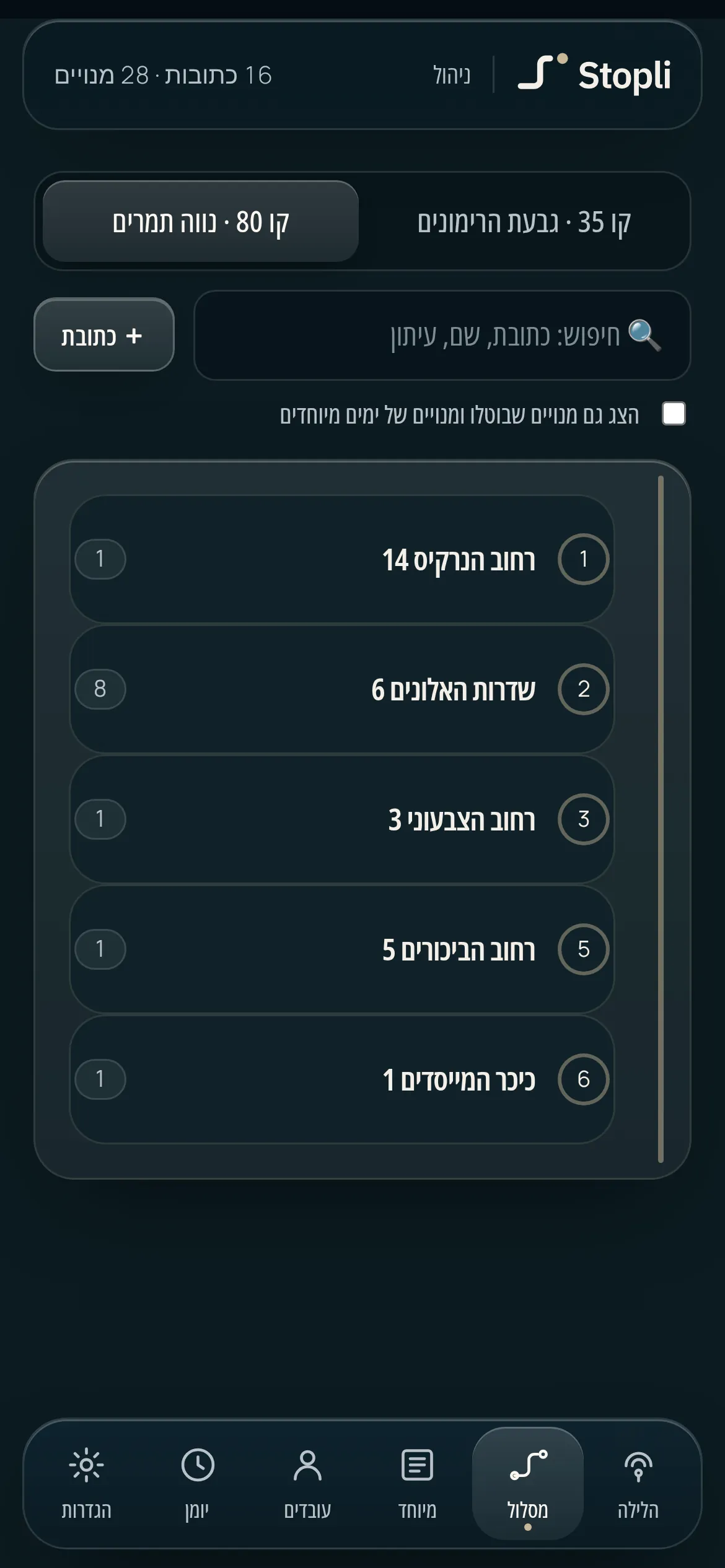
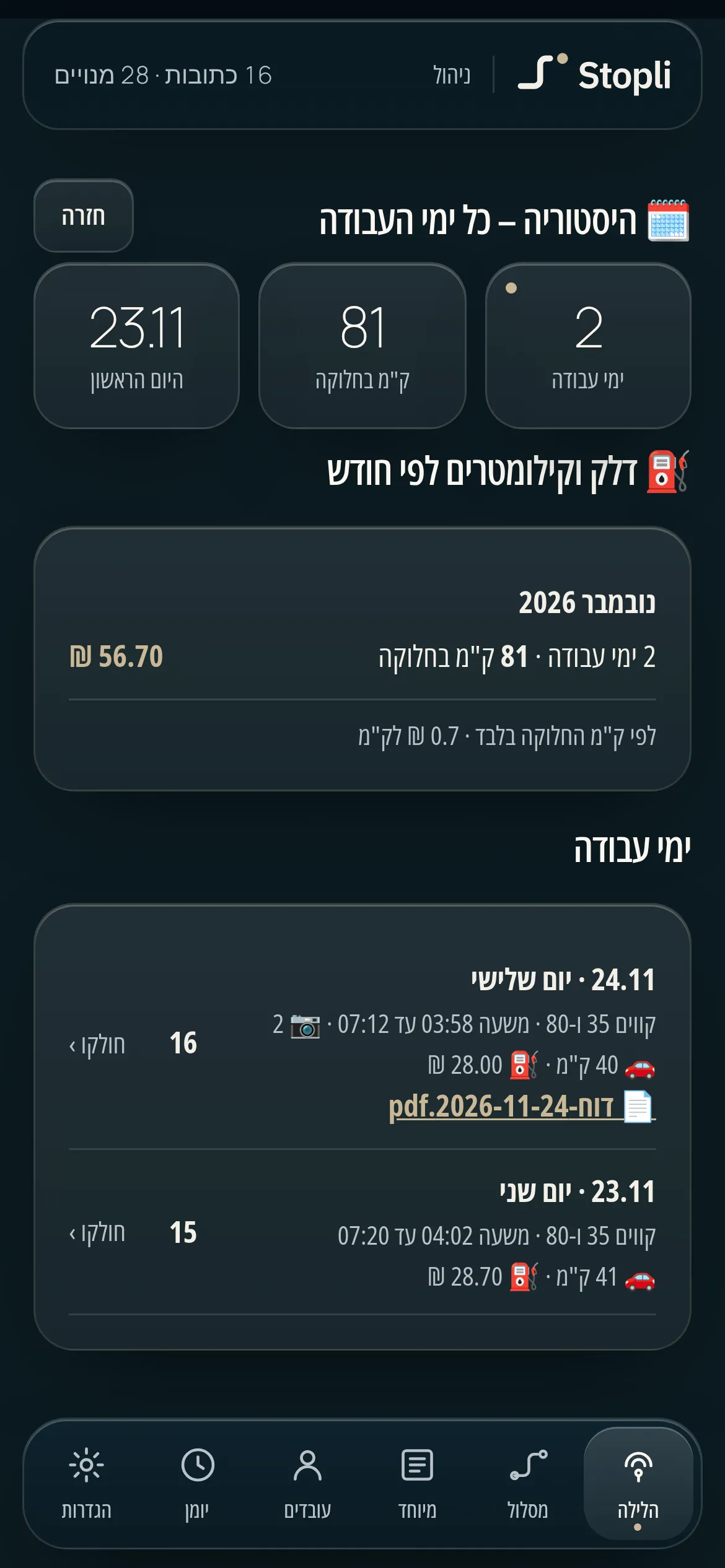
Manager dashboard
What's delivered, what's left – in real time.
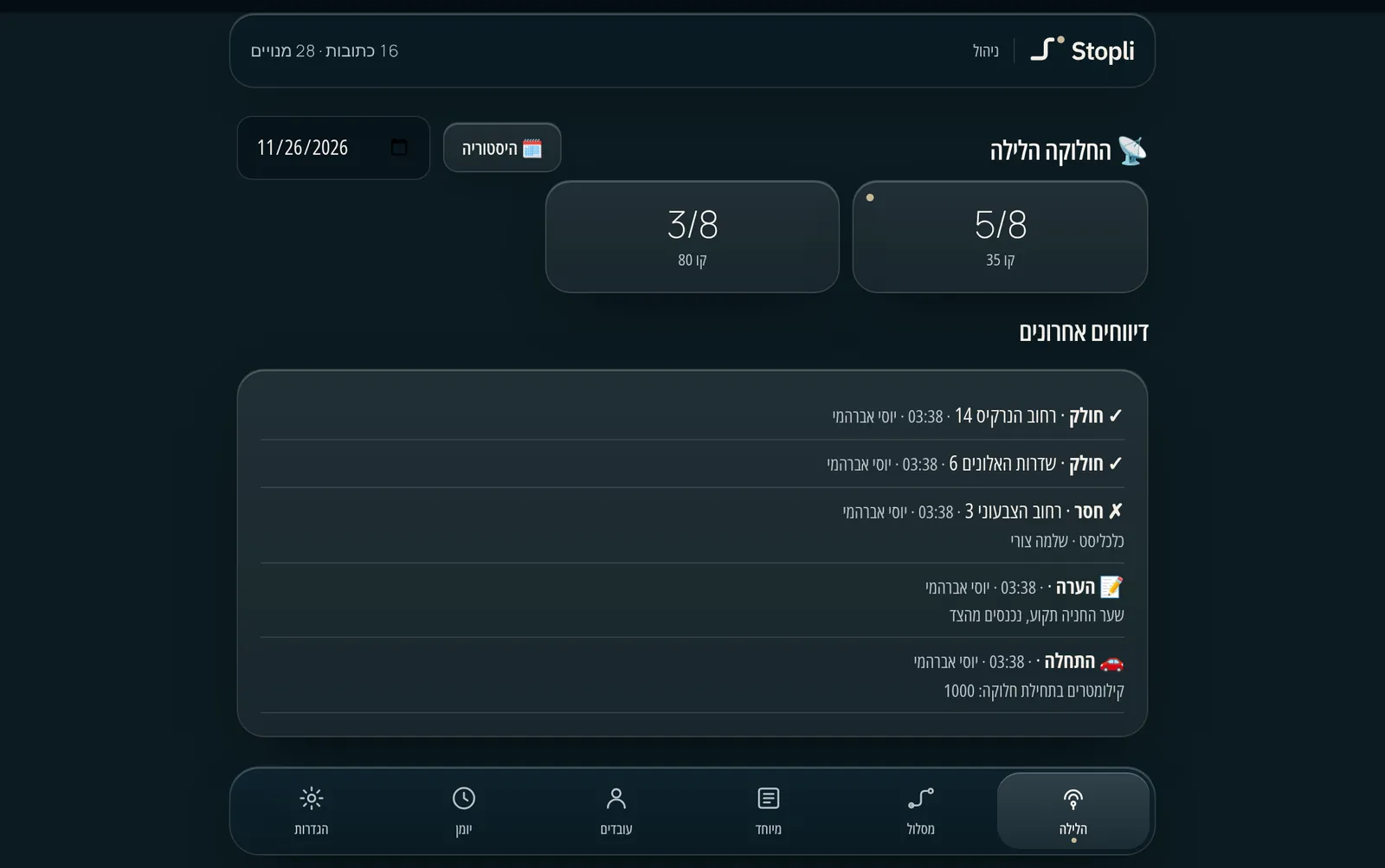
All names, addresses and numbers on the screens are made up. The app itself is in Hebrew.
Counters for every route, plus the latest reports and photos.
Add, edit and cancel, and the address drops off the carrier's route.
For every day, for set days or for a single date, with the logo. Photograph the labels, and the list fills itself in.
Every working day with hours, kilometers, fuel cost and a PDF report, plus a ready monthly summary.
Delivery times, complaints per 1,000 subscribers, and trends by route and by carrier.
Each carrier has their own code, with access by role: owner, route manager and carrier.
License, insurance and vehicle inspection, with a reminder before they expire.
A carrier who leaves loses access immediately.
Every action is recorded: who, what and when.
The carrier in the field. The manager in the cloud. Everything in sync.
Every mark, every photo, every note – within seconds.
How it works
Only then do you go live.
Routes, subscribers and reports, in one place.
A personal code, and only their route.
Every mark reaches you within seconds.
Share it to WhatsApp or download the PDF.
You install nothing, and you don't need an IT person.
Security
Names and addresses never leave the system.
A carrier leaves? One tap, and access is gone.
45
features live in the field, every night.
Some capabilities are activated for you as part of tailoring the system to your needs.
The story
Servers, security, support – and new features, all the time.
By day, he runs educational institutions. By night, he delivers newspapers.
The founder of Stopli, married and a father of four, went out every night to deliver newspapers to make ends meet.
Those nights were hard. They were full of exhaustion, disappointment and frustration. A man who leads and manages all day, and at night goes from house to house doing work no one sees. There were nights he cried on the road and asked himself how he had ended up there.
And it was from that place, the lowest point, that he decided not to break.
He took what he had in him: the talent, the vision, the thoroughness that never lets a single detail slip, and a passion to learn the world of artificial intelligence in depth. And every night in the field became a lab.
That is how Stopli was born. It was built inside the work itself, tested every night on real delivery routes, and fixed and improved day after day.
The result is a system that brings real change to delivery companies, in Israel and around the world. It makes life easier for carriers and couriers in the field, and gives their managers control, precision and peace of mind.
Built by a carrier, for carriers.
— The founder
Today Stopli is working in the field, and is being built as an international startup.
A system that keeps growing – just like your business.
What's new
Features added since 26 November 2026.
The carrier photographs the complaint or picks it from the gallery, and it is saved in the report. The app then asks: "Send it to the manager on WhatsApp too?". The message is built automatically: a heading with the newspaper name, the day and date, the address, mailbox, subscriber name and a description. It can be sent as a direct chat with a link to the photo, or as the full image through the phone's share sheet.
Every complaint from today is shown with a thumbnail, and each one has a button to send it to the manager, including complaints that were saved earlier.
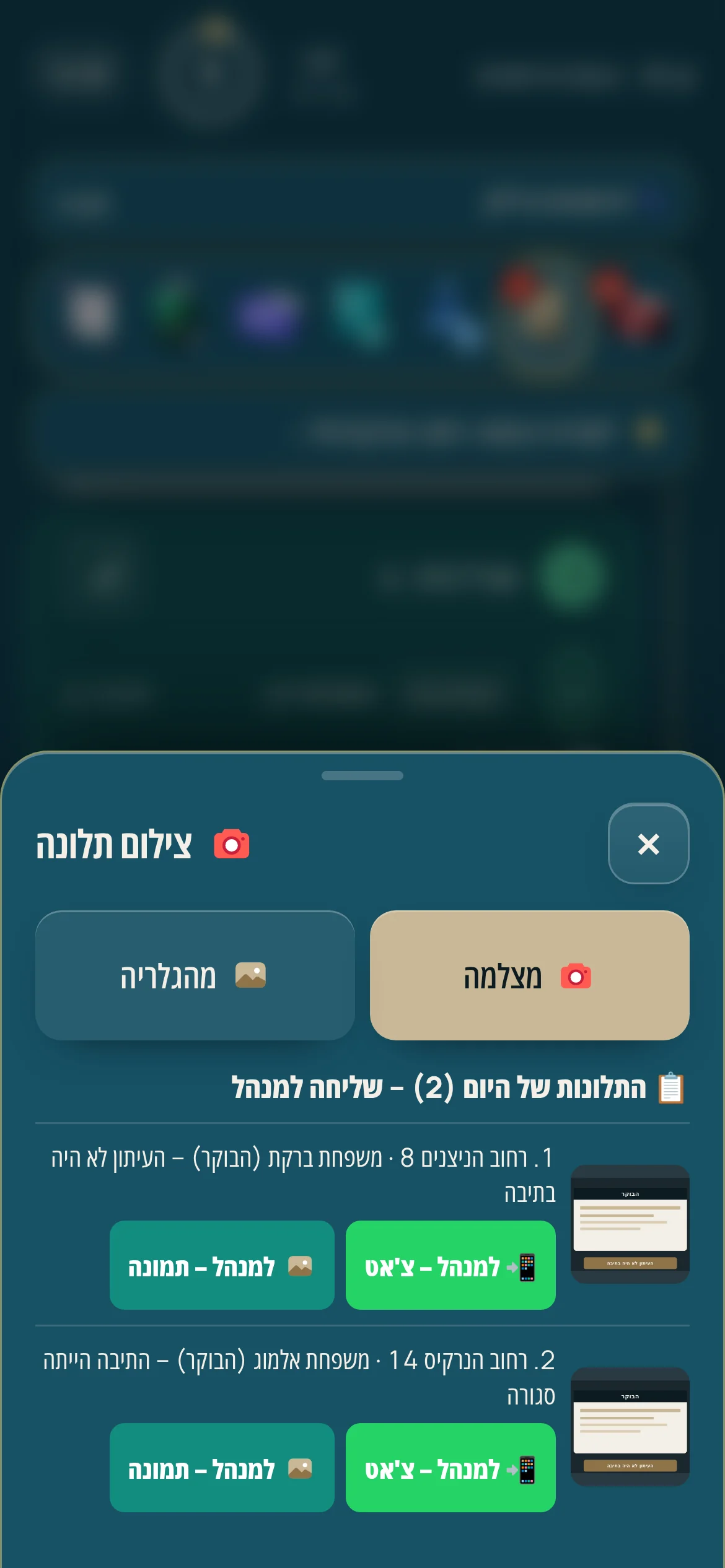
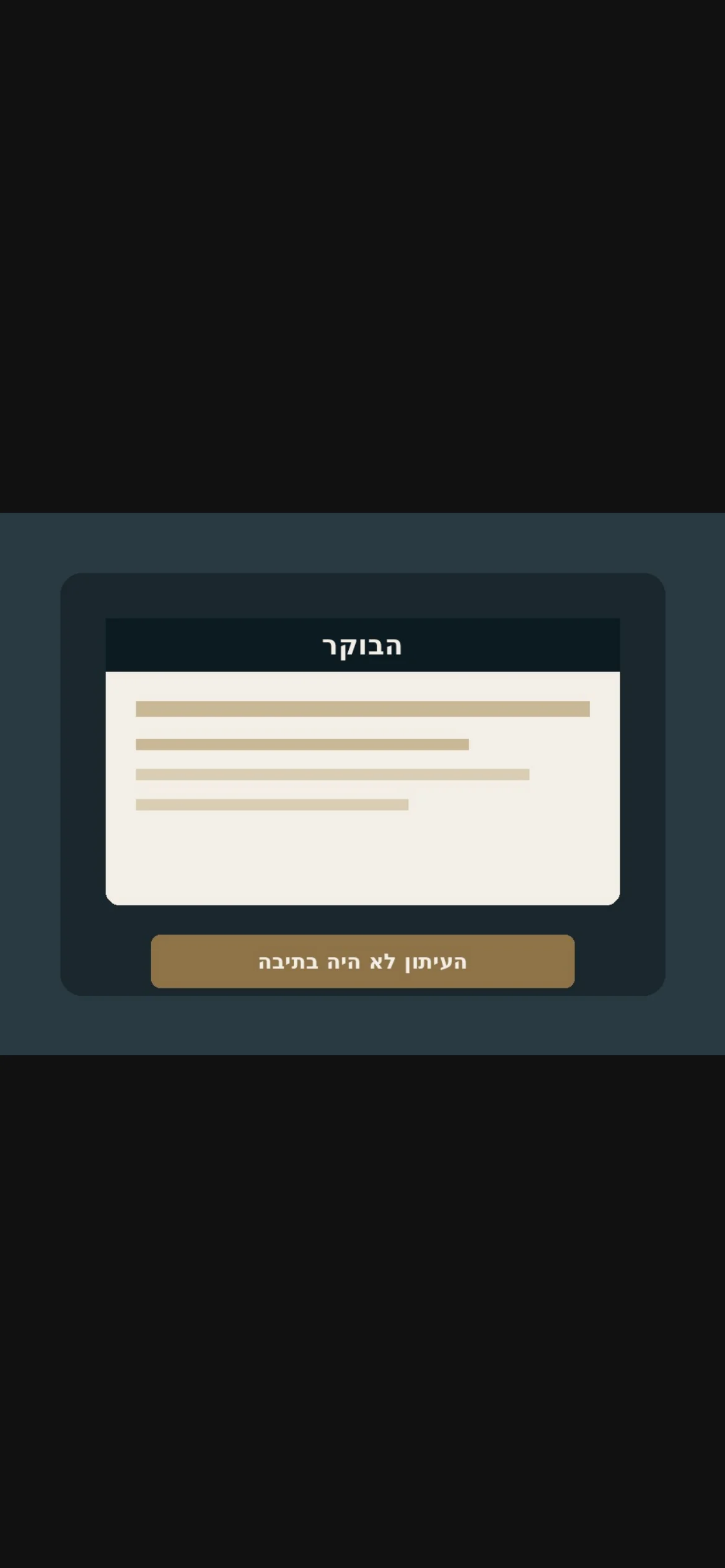
The manager gets a link that shows only that one photo. It has no access to the app, to the data, or to management. Every link is signed, and it cannot be guessed.
Envelopes that need to be delivered are placed in the route next to their address, in the right order, with a clear label. Each envelope has a camera or gallery button for proof of delivery. At the end of the report there is a list of every envelope with its photos, and how many were photographed.
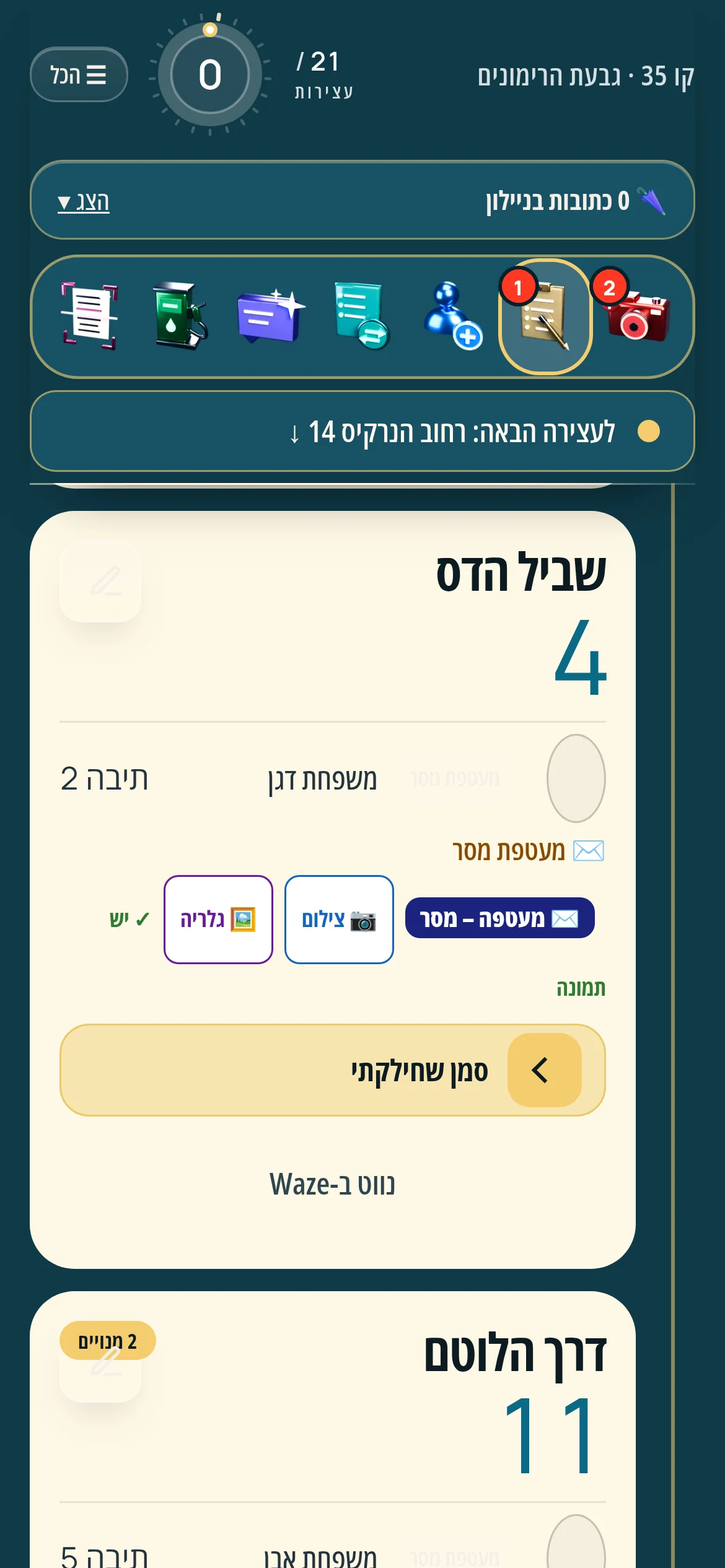
A trial subscriber is marked with a clear label. They can be photographed as proof, and there is a button to cancel the trial in one tap. At the end of the report there is a list of the trial subscribers with their photos.
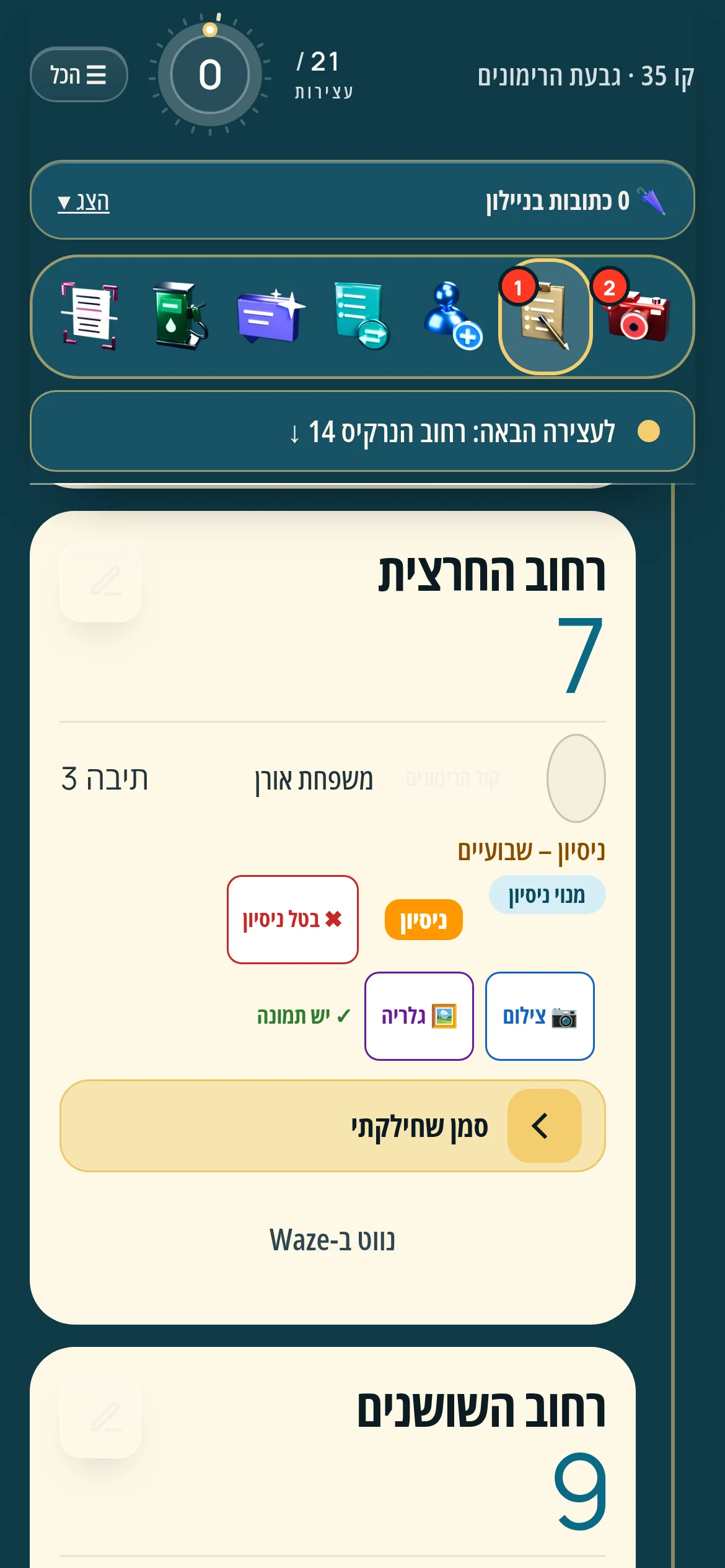
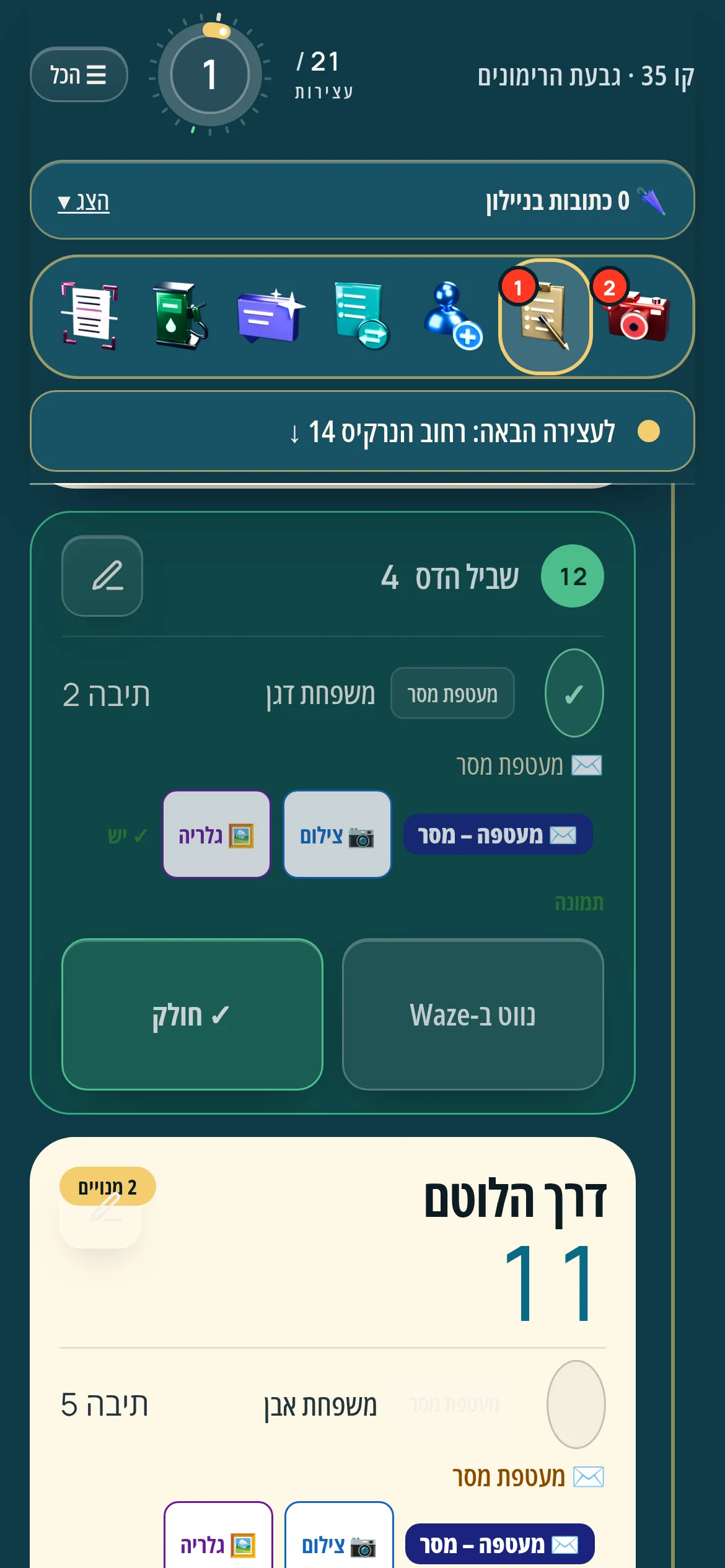
The photo buttons stay available even after the address has been marked as delivered.
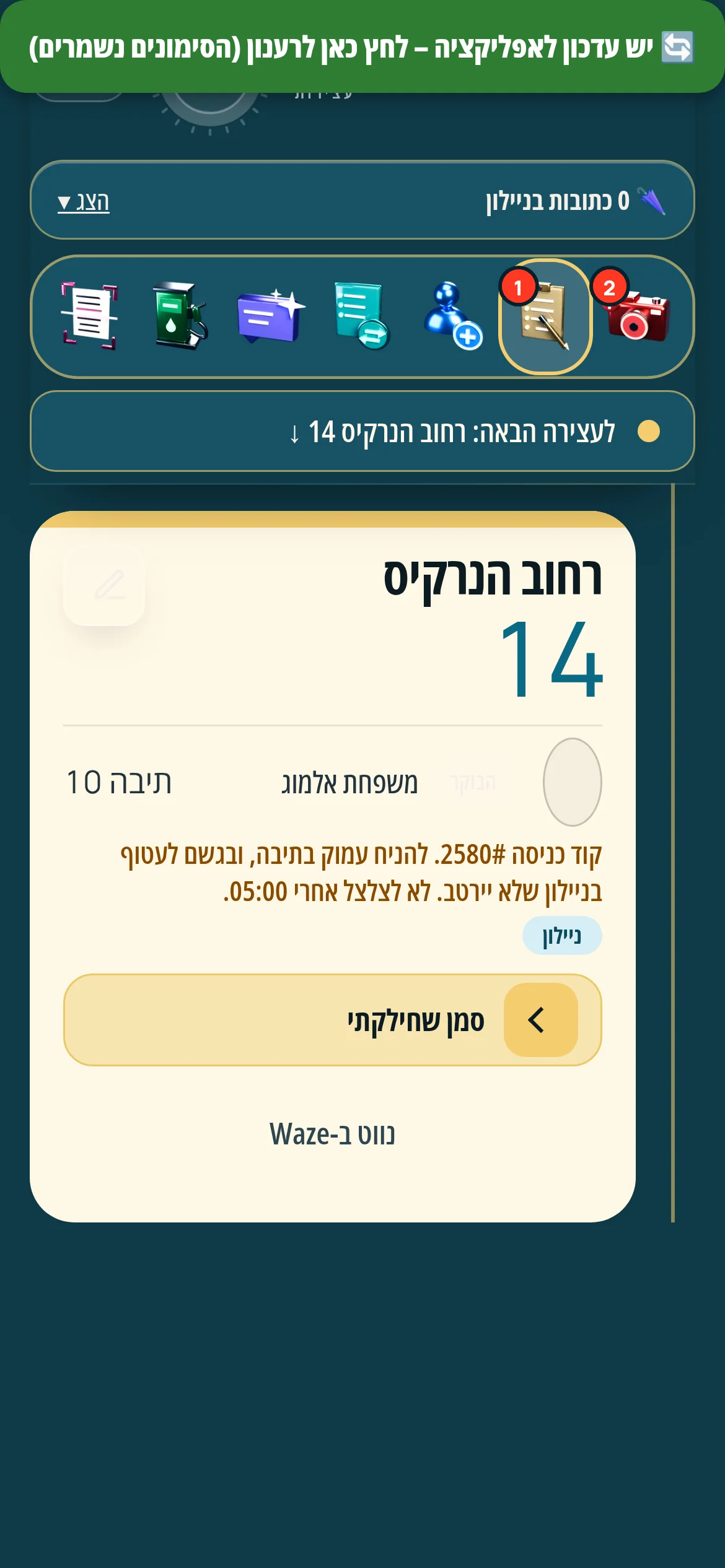
When a new version is out, a bar appears: "There's an update – tap to refresh". Marks are kept during the refresh.
The report is generated correctly even when it runs to dozens of pages, with every address, delivery time and photo.
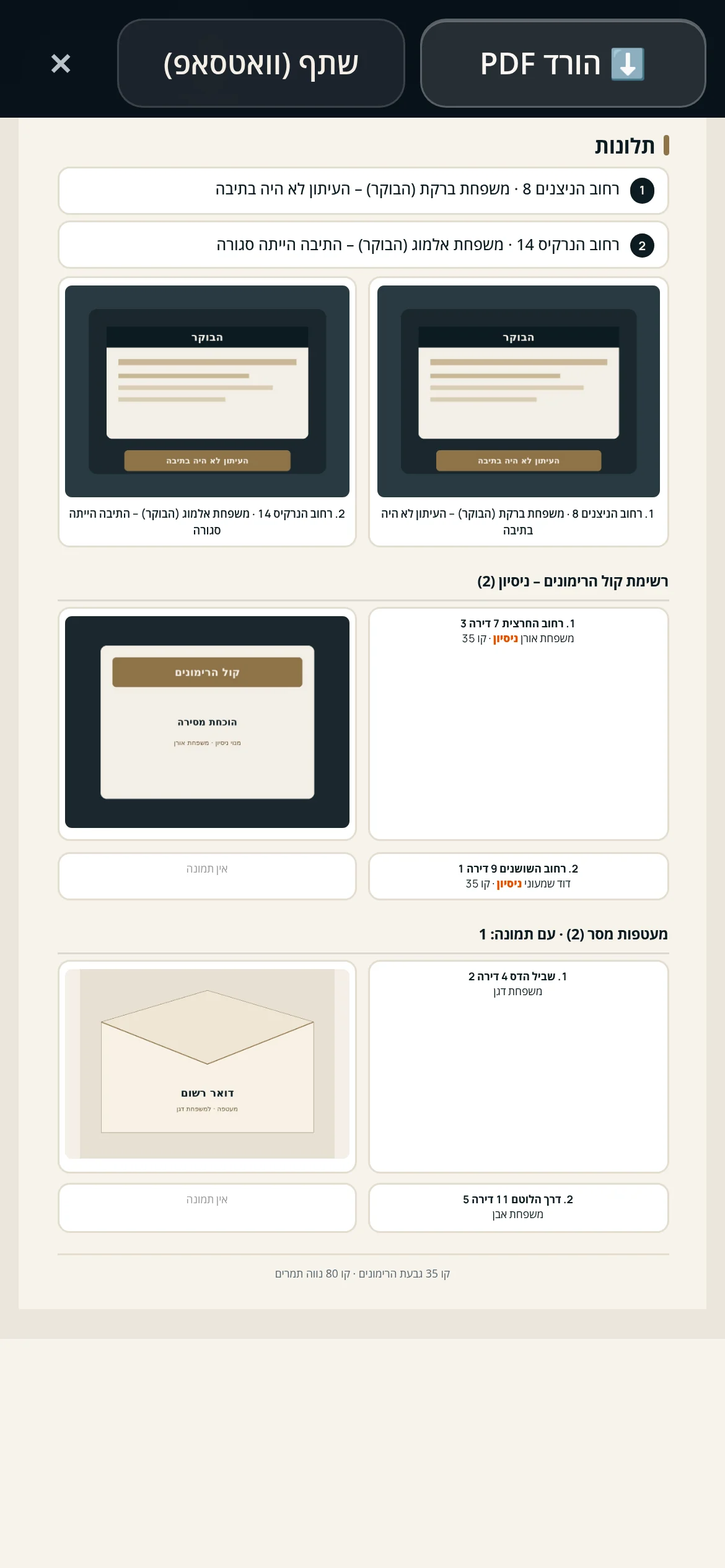
Also
Each day has a fixed address order, according to the carrier's working method. The order of one day can be applied to another day. A manual move overrides the fixed order, and changing the order in the middle of a run does not move existing marks.
Every mark is saved in the cloud by address. After an update or after opening the app again, the marks return to exactly the right place.
All names, addresses and numbers on the screens are made up. The app itself is in Hebrew.
In development
In development · not active yet
FAQ
 Do I need to install anything?
No. You don't install or update anything. The carrier's phone always runs the latest version.
 What happens without signal?
Marks are saved on the phone and sent when the signal returns. No mark gets lost.
 Who can see my subscribers?
You. Each carrier sees only their own route, and every piece of data in the cloud is tagged to its own customer.
 How much does it cost?
We'll be happy to walk you through it in a demo.
 How do I get started?
First we tailor the system exactly to what you need. Only after it is set up for you do we start. Send us a WhatsApp message, and we'll set up a conversation about your routes.
What happens when a carrier leaves?Block them in one tap, and they lose access immediately. The subscriber list stays with you.
 What about complaints?
The carrier photographs the complaint or the paper in the mailbox, and the photo goes into the report next to the address. The app then asks whether to send it to the manager on WhatsApp as well, and builds the message automatically. The report also shows the delivery time for every building.
 What happens when a carrier is sick?
All the notes, codes and mailboxes are saved in the route, not in the carrier's head.
No one goes live, and no one places an order, until the system is tailored to you.
Book a demo on WhatsApp